Quickstart
Install AI Image Disclosure and check an Umbraco image for C2PA evidence of AI use.
Requirements
- Umbraco CMS 17.1 through 18.x
- .NET 10
- A supported native platform listed under Operations
- Umbraco’s default media type with the exact alias
Image
Installation stops rather than overwriting an existing data type or media property that uses one of the package’s aliases with an incompatible definition.
Install
dotnet add package TheBuilder.AIImageDisclosureRestart the application. On first startup, the package creates the AI image disclosure and AI image disclosure source data types and adds five properties to the default Image media type.
Optional OpenAI watermark checks
The core package works without OpenAI and checks C2PA credentials locally. You can add the optional OpenAI watermark check for images without C2PA metadata. Install the separate integration package, then configure the key and enable the check through app settings. Umbraco.AI is not required.
Neither check guarantees that every AI-generated image will be identified. A missing credential or negative watermark result leaves the origin unknown. The package does not guess from the image’s appearance.
Test an image
- Open the Media section.
- Download the known-good C2PA test image.
- Upload the image in the Media section. It must use Umbraco’s default
Imagemedia type. - Save the media item.
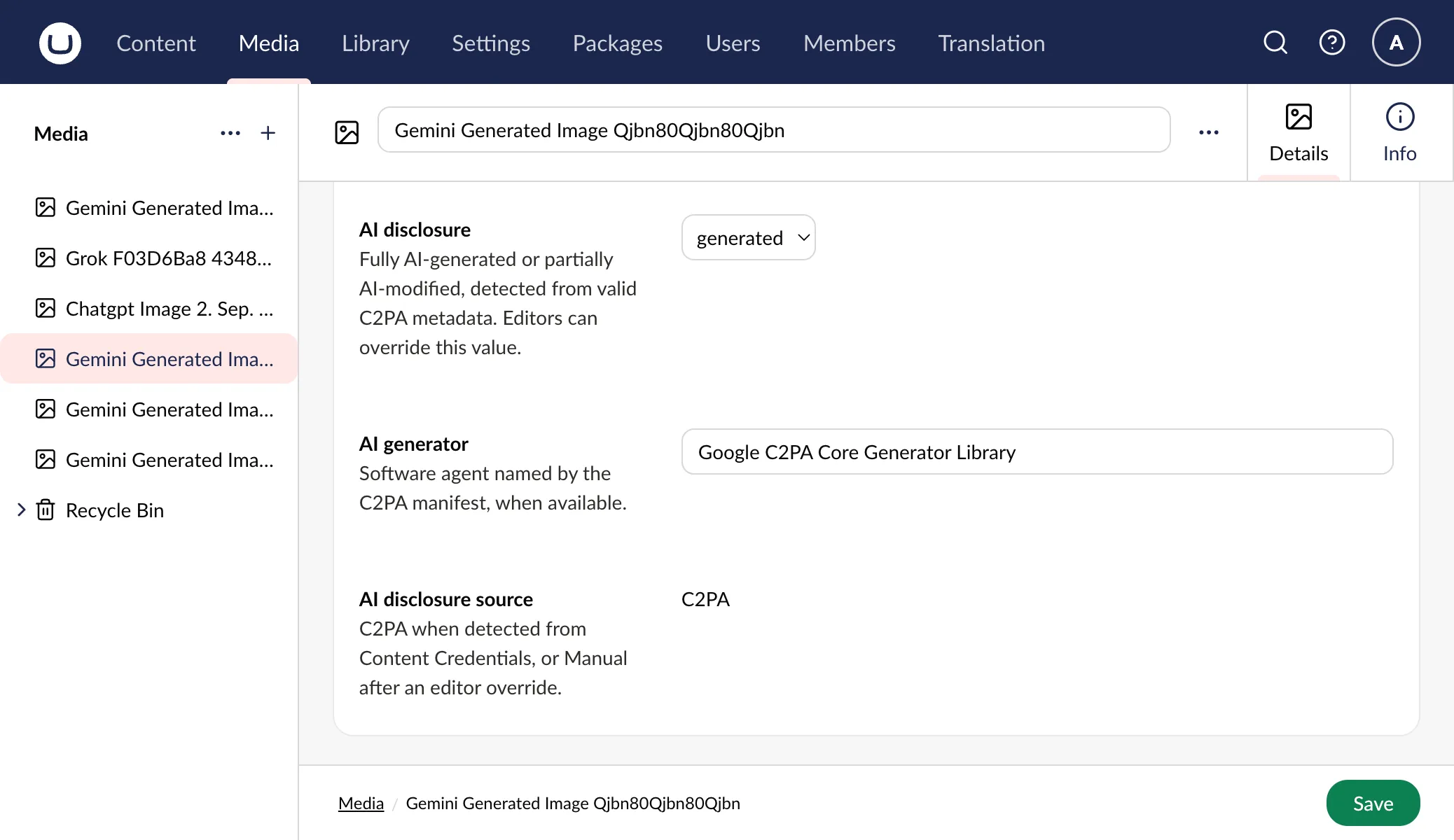
- Confirm that AI disclosure, AI generator, and AI disclosure source contain the expected values.
The expected values are:
aiDisclosure: generated
aiGenerator: gpt-image
aiDisclosureSource: C2PA
Detection runs when an image file is uploaded or replaced. A detection failure never blocks the media save.
Images classified as generated or modified receive a native Umbraco sign in the Media tree. Signs are enabled by default. Set AIImageDisclosure:ShowBackofficeBadges to false to hide them without disabling detection. Umbraco’s current Media Grid cards do not render entity signs, so the package leaves those cards unchanged.
Set a manual value
Select generated or modified in AI disclosure, then save. The source changes to Manual so later file processing does not silently replace the editor’s decision.
Clearing AI disclosure also clears AI generator and records a manual, undetermined result. It does not mean the image is human-made.
Resume automatic detection
Choose Resume automatic detection in AI disclosure source, then save. The package immediately reprocesses the current file and replaces the manual values with the detected result, or clears them when the file contains no usable AI evidence. Replacing the image file is not required.
Scan existing media
Administrators can open the AI disclosure scan tab in the Media section and choose Start scan. Each request handles at most 50 media entities; non-Image media is ignored. The dashboard shows scanned, manually preserved, and failed-save counts. Stop after current batch preserves progress, while a request error can be retried from the same cursor. The scan tracks media IDs, so deleting an earlier item does not skip later images. New uploads are left for the next scan. The cursor is reset if the browser page is reloaded. With the optional OpenAI integration installed, each request handles one media entity to keep verification time bounded.